
Sky Exchange Sign Up Line: Quick Look at the Fields a New ID Fills
6283 This code box matters only once registration is done, when the new Username and the temporary password go in for the very first time.
Registration here means one chat with the ID desk: a username choice and a mobile number go in, a Username and temporary password come back. 18+ only.New account setup
Sky Exchange Registration: Verified Registration Steps for a New Username
Pick a handle, share the phone number you chat from, and your Sky Exchange registration is underway. What returns is a login name with a throwaway password, which the very first sign-in makes you replace.
Sky Exchange Registration Starts at the Official Sign Up Line
Sign Up lineUsername + mobileScroll the Sky Exchange sign-in screen right to its foot. After the four action buttons comes a short sentence asking whether you lack an account, and its last word, Sign Up, is the entire entrance to Sky Exchange registration for a brand new username.
Most people expect a long form. There isn't one here. On this site the Sign Up line, the Register button in the top bar and the login card above all open the same ID desk link, and the desk handles the rest inside a WhatsApp chat, which is why the whole thing feels closer to sending a text than filling in a page.
Two items the Sky Exchange desk wants, in brief
Two things. A username you would like, and a mobile number. The desk reads both, issues a Username (sometimes your choice, sometimes a close variant if that one is taken, the desk tells you) and a temporary Password.
Nothing typed into the cards on this page is stored or sent anywhere. They are replicas of the real Sky Exchange screen, kept readonly so you can see which box gets which value before the real credentials arrive.
What a Verified Sky Exchange Account Holds Once You Register
A Sky Exchange account is one ID with one balance. That balance covers the sports side and the casino side, so a cricket bet and a round of Teen Patti 20-20 draw from the same pot.
Sports first. The lobby lists Cricket, Football, Tennis, Kabaddi, Horse race, GreyHound, Politics, Basketball and more, with In-play for events running now and Multi Markets for pinning several boards on one screen. The exchange side lets you back a result or lay it on the same market, and the how stakes settle on the Sky Exchange bet slip covers how Matched bets and Book Position read once a stake goes on.
Then the casino tiles: Aviator, Andar Bahar, Dragon Tiger, Bonus Dice, Sic Bo, EVO and Ezugi tables, Callbreak, Ludo and others. Different screen. Same ID.
Registered once, usble on any mirror. A Sky Exchange Username belongs to the account rather than to whichever address you happened to open the night you signed up, so when that ending stops opening the desk names another and the same balance is sitting there waiting.
Sky Exchange ID Sign Up: The Two Details You Send and What Comes Back Fast
Every Sky Exchange ID sign up follows the same exchange of messages. Here is the ledger, line by line.
- Username choice
- The name you want to log in with. Short and easy to type on a phone keypad works best, since it goes into the Username box every time.
- Mobile number
- Whatever handset you message from usually becomes the contact tied to the Sky Exchange account. Use a number you plan to keep.
- Username issued
- Sometimes your exact pick, sometimes a near variant when that name is already taken. Whatever arrives is what goes in the Username box, letter for letter.
- Temporary password
- Think of a door key cut for one turn. It gets you past the Sky Exchange sign-in boxes exactly once, and after the change prompt it stops mattering.
- First login
- Registration only counts as finished here. The Sky Exchange lobby stays shut until the desk's one-time password is swapped for one you chose.
- Documents
- If the desk wants to see an ID card, both the request and the photo stay in that chat on your phone. The replica card at the top of this page has no upload box at all.
- Timing
- No fixed figure exists for this; the ID desk confirms it in the chat.
That last row surprises people. Sky Exchange registration speed depends on the desk queue, and we would rather say so than print a number we cannot stand behind. Our Sky Exchange site privacy policy spells out that nothing you send the desk passes through us.
Sky Exchange Sign Up on a Phone: Fast Mobile Registration
Mobile lobbyDownload .apkRegistering from a phone is the normal case, honestly the easier one. The chat with the Sky Exchange desk already lives on WhatsApp, so you send the username choice, wait for the reply, and log in on the same handset without switching devices.
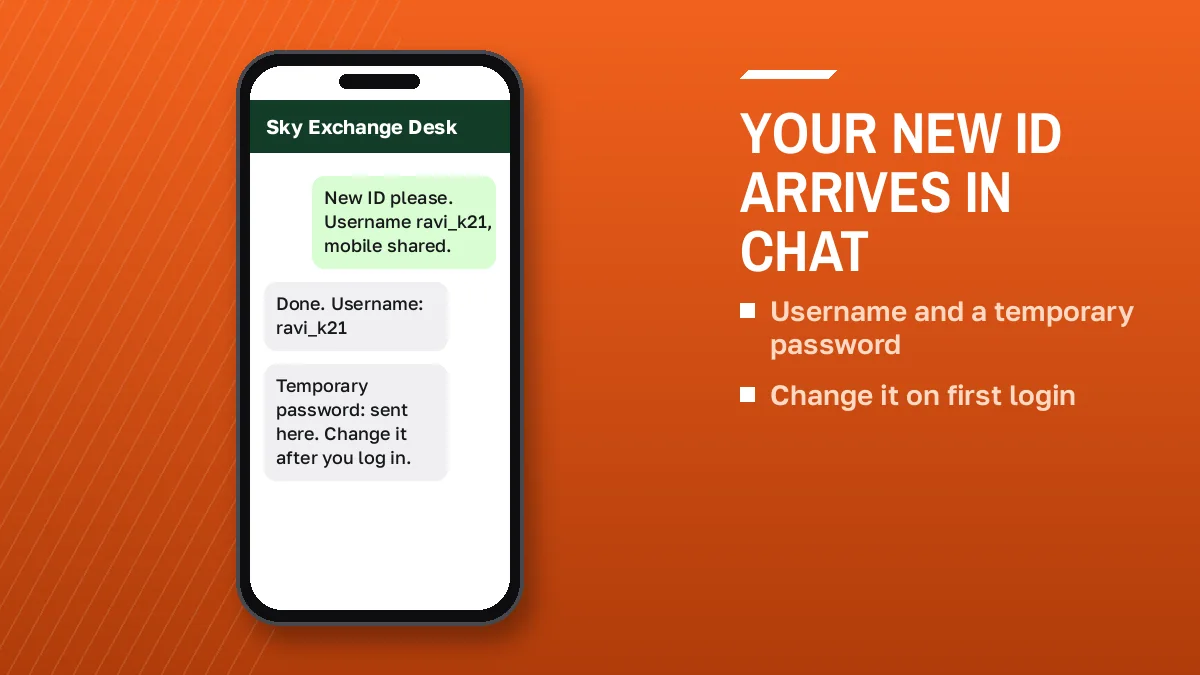
Two ways in after that. Use the mobile browser on a working Sky Exchange mirror, or tap Download .apk on the login screen and sign in through the app; both take the same three fields.
Where things sit on the Sky Exchange mobile lobby
A fixed bar runs along the bottom: Games as a raised centre chip, then Sports, In-Play, Home, Multi Markets and Account. Account is where you go to change the password later. Small detail, saves a search.
Desktop is slightly different (the three fields move into the header bar, beside Login and Demo), but the credentials are identical, so a Sky Exchange account registered on a phone signs in on a laptop with nothing extra to do. See the Sky Exchange login password change and reset for the change and reset steps.
Sky Exchange Registration Snags and the Quick Fix for Each
Most first-login trouble after Sky Exchange registration comes down to a handful of causes. Each one has a short fix.
- Validation rejected
- You read four digits, the page refreshed, and a fresh set replaced them. Type whatever sits beside the field at the moment you press Login, not the set you memorised.
- Temporary password fails
- Check for a trailing space from copy and paste, then for capital letters. Still failing? Ask the desk to reissue it.
- Forgot the new password
- Step five's password slipped your mind? This ID was born in a desk chat, so recovery happens there too. Forgot password? on the screen suits IDs that came another way.
- Address will not open
- ISPs block betting domains. Ask the desk for today's working mirror; the same Username and balance carry over.
- Verification email
- A mention of email confirmation can appear for some IDs. The second small link on the sign-in screen, after Forgot password?, is Resend Verification email? and it requests another copy.
- Locked after a trip
- Registered in Pune, signed in from Jaipur that night, now locked? Sky Exchange rules allow voided bets or a suspension for frequent IP changes between cities or an IP-masking app.
That last one catches people who register at home and then log in from a hotel two states away the same evening, so if a freshly registered Sky Exchange ID behaves oddly after a trip, mention the move to the desk first. Probably saves a round of back and forth.
Sky Exchange Registration Words People Search, Explained Simply
What sky exchange registration means on this page
On skyexechange.net, sky exchange registration covers everything between tapping Sign Up and seeing the lobby for the first time with a password you chose yourself.
How a sky exchange account differs from a demo login
A sky exchange account holds a real balance for sports and casino, funded by UPI or bank transfer through the desk. Demo login gives a practice balance with no deposit and no registration at all.
The sky exchange id sign up order, short form
- Tap the Sign Up line or Register button.
- Send a username choice and mobile number.
- Receive Username and temporary password.
- Log in and set your own password.
Sky exchange sign up spellings that lead to the same ID
Four spellings, one sign up. A sky exchange sign up typed as skyexch, skyexchange or sky exch reaches the same desk, produces the same kind of login, and that login opens on whichever mirror works today.
Why Sky Exchange registration happens in a chat
One thread on your phone ends up holding the whole life of the ID: the registration reply, any reset, every deposit or withdrawal request. Payouts land in the bank account tied to that ID, so the chat that registered you stays the one to keep.
Try Sky Exchange Demo Free Before Your Registration
Undecided? Press Demo login on the official screen and skip registering for today. The Sky Exchange lobby opens on practice credit, and you walk away afterwards with no Username to remember.
Use it to learn where things are before registering. Open In-play, put a stake on a back price and a lay price, watch what Book Position does, try the Settings drawer where Default stake and Quick Stakes live, and flip on Highlight when odds change to see the board react react; twenty minutes of that makes the real Sky Exchange account feel familiar on day one.
The practice first with a Sky Exchange demo ID covers that practice mode in more detail.
The small demo games on this site are a separate thing. They run in your browser only, use no real money, store nothing and pay nothing. A taste of the layout, nothing more.
Sky Exchange Sign Up From First Tap to Lobby: Five Quick Moves
Here is the full Sky Exchange registration run as it happens on a phone, from the first tap to the lobby.
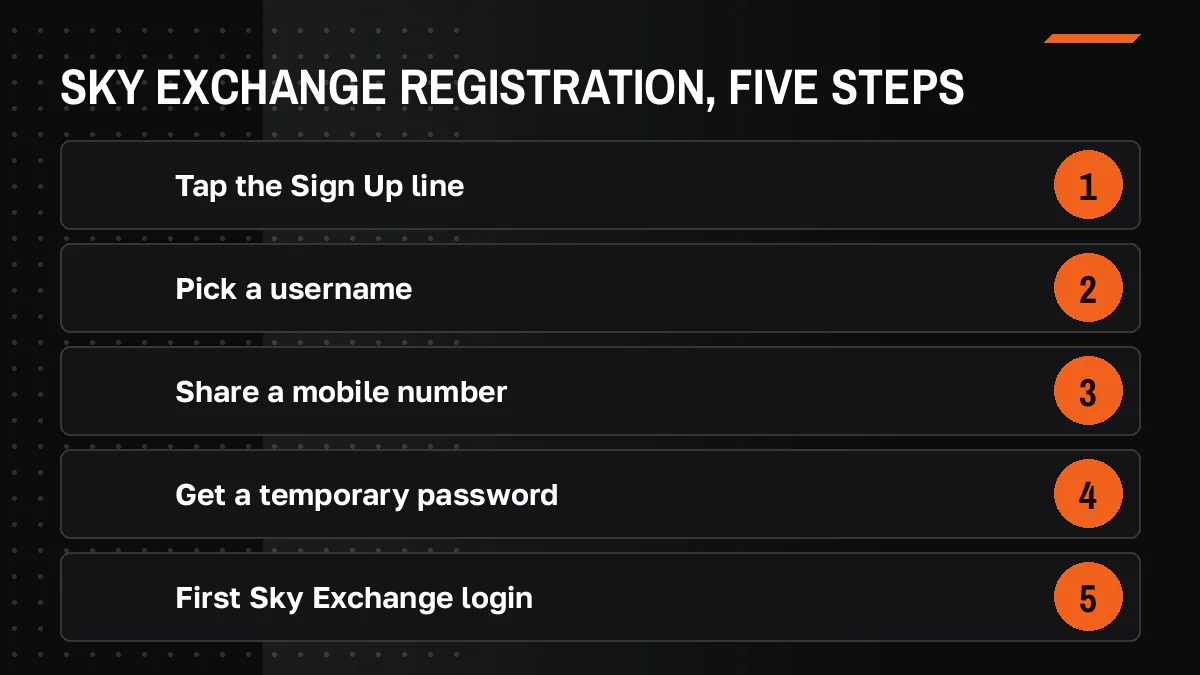
- Tap Sign Up. Use the Sign Up line on the login card or the Register button in the top bar; either opens the ID desk link in a new tab.
- Send two details. Message the desk your preferred username and your mobile number. The Sky Exchange WhatsApp number for the ID desk has the desk contact if the link will not open.
- Save the reply. Two lines come back: the login name and a one-time password. Screenshot them, because the chat scrolls away quickly once other messages pile up.
- First visit. On a phone the Sky Exchange boxes sit stacked on the login screen; on a desktop they run along the top header bar next to Login and Demo. Copy the Validation digits last, since they change on each load.
- Replace the throwaway. Before the Sky Exchange lobby shows a single market, a prompt wants your own password in place of the desk's.
Done. Before funding the new Sky Exchange account, read our Sky Exchange site terms and conditions, and check the law in your own state, because betting rules differ across India and some states ban online betting outright.
Sky Exchange Registration Questions, Answered Quick
How do I register on Sky Exchange?
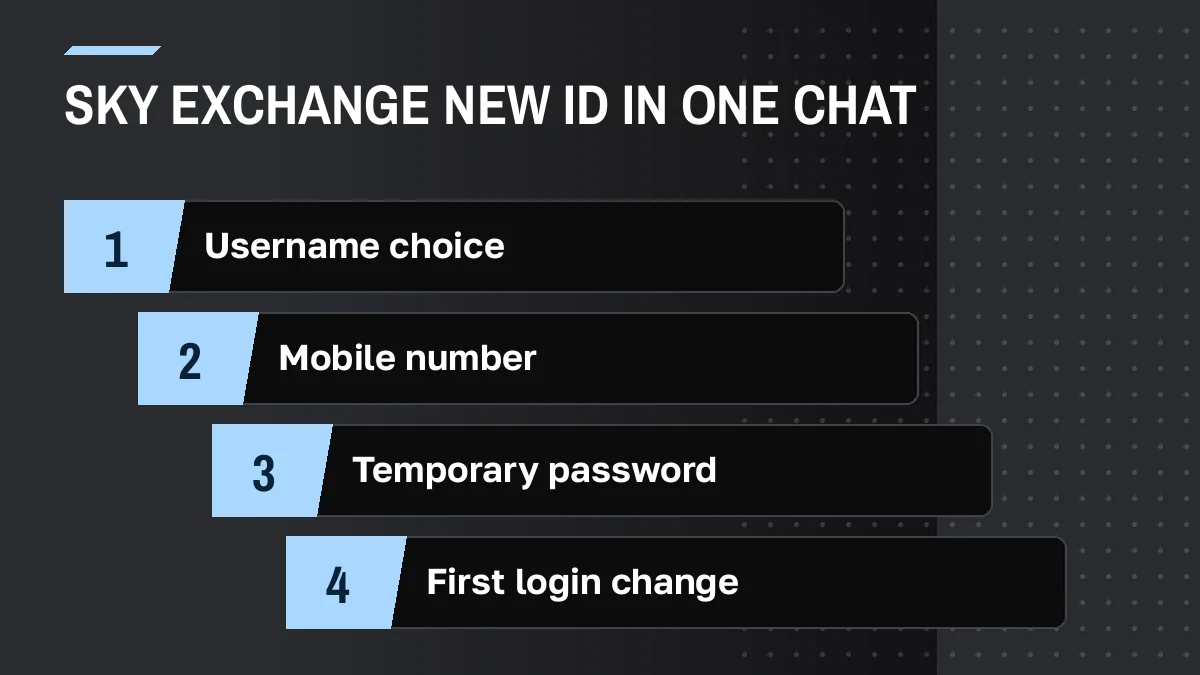
Two messages and one sign-in cover it. You text the Sky Exchange ID desk a handle you like plus your mobile number, the desk answers with an issued Username and a one-time password, and you enter those with the 4-digit Validation code before picking a fresh password.
Where does the Sign Up word on Sky Exchange send a new user?
The Sign Up line is the starting point for a new Sky Exchange ID. It sits in the footer of the login screen, below the Login and Demo login buttons. On this site it opens the ID desk link, where the desk takes your username choice and mobile number in a chat.
What details does Sky Exchange registration need?
Sky Exchange registration asks for a preferred login name, for example a short handle you can type quickly, plus the mobile number you chat from. Should the desk request an ID card, that stays in its WhatsApp thread. No document reaches this site, and its cards transmit nothing you type.
How long does Sky Exchange registration take?
There is no fixed time we can quote for Sky Exchange registration, so the ID desk confirms it in the chat. The process itself is short: one message with your username choice and mobile number, one reply with your Username and temporary password, then a first login with a password change.
Can I complete Sky Exchange registration from my phone?
Yes, a phone is the usual way to register a Sky Exchange account. The desk chat runs on WhatsApp, so you request the ID and receive the credentials on the same handset. Then log in through the mobile browser on a working mirror or through the app from the Download .apk button.
Should I try Sky Exchange Demo login before registering?
Trying Sky Exchange Demo login first is a sensible move. The Demo login button on the official screen opens the lobby with a practice balance and needs no deposit or registration. You can place practice back and lay stakes, explore In-play and the Settings drawer, then register once the layout feels familiar.
- sky exchange registration
- sky exchange sign up
- sky exchange id sign up
- sky exchange account
- skyexch register
- sky exch new id
- sky exchange account kaise banaye
- skyexchange registration online
- sky exchange id kaise banaye
- sky exchange new account