
Sky Exchange Log In Card: Quick Look at the Code Box Step
7314 We use this number as the running example below: if your screen shows 7314 now, then 7314 is the only answer the Validation box accepts until that view is refreshed.
Every fix on this page starts at the code box; usernames and resets come from the ID desk on WhatsApp. 18+ only.Sign-in help
Sky Exchange Login: Easy Fix When the Validation Code Fails
Sign in to your Sky Exchange account and get past a refused Validation code, field by field, with a worked example. Most refusals come from four digits copied off a screen that has since been redrawn, and that takes seconds to sort out.



Sky Exchange Login Screen, Field by Field: The Real Layout
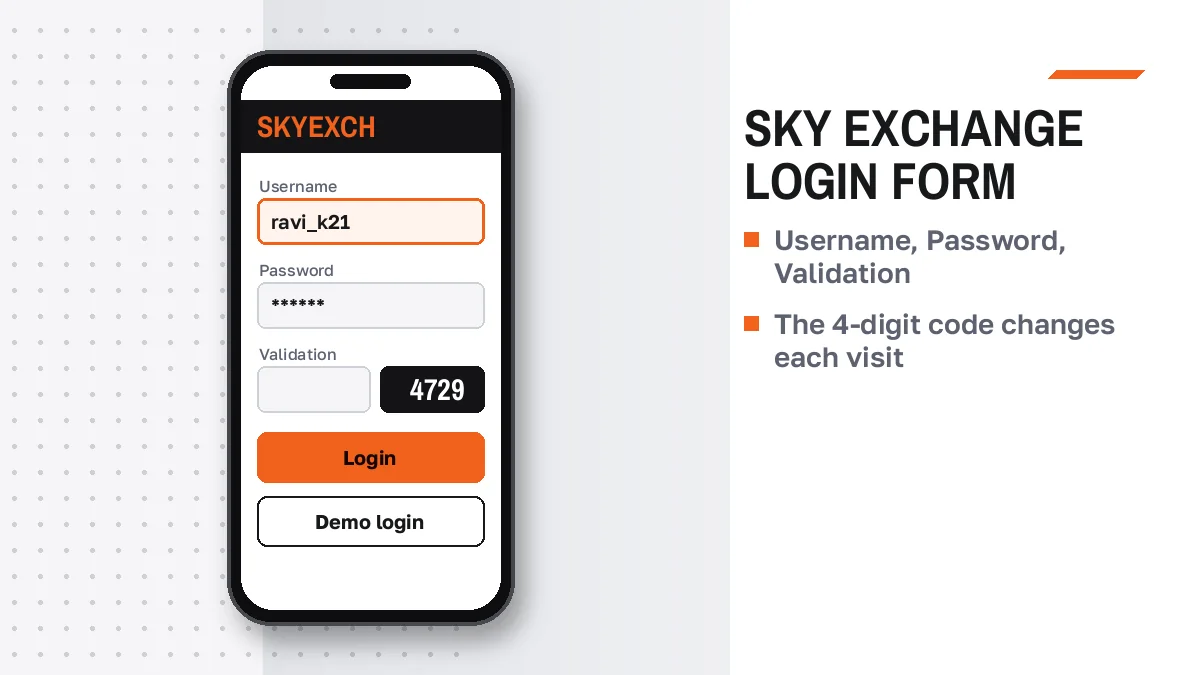
Picture the phone screen with our example values filled in. Three boxes, then two links in small text, then four buttons stacked under them. Every Sky Exchange log in problem we cover later maps back to one of these parts, so it helps to know which part is which before anything goes wrong.
- Box 1, Username
- kabir_07 in our example. Whatever the desk spelled in its WhatsApp reply is what goes here, the _ mark and digits included, and Sky Exchange treats a near miss as a plain wrong entry.
- Box 2, Password
- Day one: the temporary string from that same reply. Every day after: the password you chose when the first sign-in forced a change.
- Box 3, Validation
- Our 7314. The four digits are printed right next to the box, and opening the page again prints a fresh set.
- Link, Forgot password?
- Small text under the boxes. For a Sky Exchange ID made by a desk, tapping it is less useful than messaging that desk with kabir_07 and asking for a new temporary password.
- Link, Resend Verification email?
- Only matters if an email address was attached at setup, which a WhatsApp-issued ID often skips.
- Below the links
- Four buttons we take apart one by one further down this page, and a Sign Up line that closes the form for visitors still without a username.
Our example account was invented for this page, so do not type kabir_07 anywhere; the point is the the order, because people who fill the three Sky Exchange boxes top to bottom in one sitting, without switching apps halfway, get far fewer refusals than people who wander off to find a password and come back.
Your Sky Exchange Login ID Is the Username: A Simple Rule
Take kabir_07 again. That one string is the account's login ID, its username and what a desk might call your client ID, all at the same time, and the Sky Exchange form just happens to print Username above the box. Nothing is hidden behind it.
Where did yours come from? When the account was opened you sent the desk a name you liked plus a mobile number, and the reply carried a Username and a temporary Password. Two lines in a chat. That pair is the whole sky exchange login id india searchers keep asking about, and the mobile number is not part of it.
Mix-ups we see often enough to mention:
Typing the mobile number into Box 1, because the desk used it to set things up. Typing the name you asked for when the desk had to change it slightly because it was taken. Typing a capital K when the reply had kabir_07 in lower case. Each one gets the same refusal as a bad password, which is why the Sky Exchange screen feels unfair when the real issue is one character, and why scrolling back to the desk's original message beats memory every single time.
Opening an ID, and what the desk asks for, belongs on our page about getting a Sky Exchange ID. Here we stay at the form.


First Sky Exchange Log In With a Temporary Password: Easy Steps
Day one has an extra screen. Your first Sky Exchange log in ends on a password-change form instead of the lobby, and people who expect the lobby sometimes think something failed when it did not.
- Keep the desk reply open in split view. On most phones you can pin WhatsApp beside the browser, which saves you from leaving the Sky Exchange tab mid-entry.
- Fill Box 1 and Box 2 from that reply. Long-press to copy each line on its own; a pasted line sometimes brings a space at the end, so tap once at the end of the box and delete anything after the last character.
- Digits come last. Read the Validation number only after both boxes are filled, so the code you type belongs to the view you will submit.
- Tap Login once. A second tap while the first is working can redraw the page and swap the code under you.
- Expect a detour. Instead of the lobby, a fresh Sky Exchange ID lands on a form wanting a password of your own choosing.
- Sign in again with the new one. From now on the temporary string from the chat is history.
If the change form closed on you before you finished, you will not know which password is live, and guessing both in turn just burns attempts; a short message to the desk with your username settles it. Annoying, but quick.
The Sky Exchange Validation Code: Quick Fix for the 4 Digits
4 digitsNew on refreshBack to 7314. Suppose you read it, switched to WhatsApp to copy your password, and came back. Some phone browsers redraw a tab that sat in the background, and if that happened your Sky Exchange screen may now show 2068 while your memory still says 7314. You type 7314, press Login, and the code is refused.
That one scene explains most of the complaints. The Sky Exchange number belongs to a single opening of the page; once the page opens again, the old digits mean nothing.
- Typed the digits seen in another tab or on a second phone? Refused, every time.
- Read a 1 as a 7, or a 0 as a 6, on a small screen? Zoom in before typing.
- Code right but password wrong? The form still refuses, and it is easy to blame the newest box.
The repair takes about as long as reading this sentence. Clear Box 3, pull the Sky Exchange page down to refresh it once, read whatever number is there now, and press Login without touching another app in between.
New view, new number.
Forgot Password and Resend Verification on Sky Exchange: Safe Recovery
Under the three boxes sit two lines of small print, and they are easy to tap by accident when you mean to press Login.
Tap Forgot password? and the Sky Exchange form begins a reset on its own. That is the theory. In practice, kabir_07 and almost every account like it was made by a desk or an agent, and whoever made it holds the reset key too, so the shorter path runs through WhatsApp: one message with the username, a new temporary string back, and then the day-one change form all over again.
Resend Verification email? only does something if an inbox was linked when the Sky Exchange account was made. Plenty of desk-made IDs never had one.
Neither link renames you. Neither moves money.
After either route, start from a newly opened Sky Exchange form: new password in Box 2, and whatever four digits the refreshed page prits in Box 3, since the number you saw before the reset belongs to a view that no longer exists.
Four Buttons Under the Sky Exchange Login Form: Official Meaning
Four buttons, one job each. Pressing the wrong one is behind a surprising number of "it let me in without a code" stories on Sky Exchange.
- Login
- The single button that submits Box 1, Box 2 and the Validation digits together and opens your own Sky Exchange balance.
- Demo login
- Skips all three boxes and drops you into a practice balance nobody deposited. If the lobby opened even though you never typed 7314, this is the button you hit. More on the practice side of Sky Exchange elsewhere.
- Download .apk
- Hands your phone the Android install file, for anyone who would rather tap an app icon than open a browser tab.
- Contact On WhatsApp
- Starts a chat from the form itself, handy when the form is all you can reach.
- Sign Up line
- Sits at the very bottom as Don't have an account? Sign Up, aimed at visitors who reached the Sky Exchange form with no username yet.
So if you see a balance you never put in, or markets with nothing of yours on the slip, check whether the Account tab shows kabir_07 (well, your own name) before you assume your real account opened; a demo session and a real one look much alike from the lobby, and the username is the giveaway.
Sky Exchange Desktop Header Login: Fast Steps on a Laptop
Open Sky Exchange on a laptop and there is no separate sign-in page. The form shrinks into a strip across the top header, while the lobby fills the rest of the window. Same boxes, new place.
- Find the top strip. Username, Password and Validation run left to right there, followed by Login and Demo.
- Click Box 1 first, then use Tab. The Tab key hops through the three Sky Exchange boxes in order, which keeps your hands on the keyboard.
- Read the header digits. The code prints beside the third box in the strip, not in a pop-up.
- Press Enter or click Login. The lobby under the strip swaps to your own view, sports list down the left side.
- Bookmark nothing but the address. The code is never saved with a bookmark, so each visit starts with fresh digits.
Laptop users meet one trap phone users rarely do: with the whole Sky Exchange lobby sitting under the header strip, it is tempting to scroll through cricket and casino tiles before signing in, and if the page redraws during that wander, the diits in the strip change while your typed code stays put. Clear it. Retype it.
Sky Exchange Login Keeps Failing? A Reliable Five-Point Check
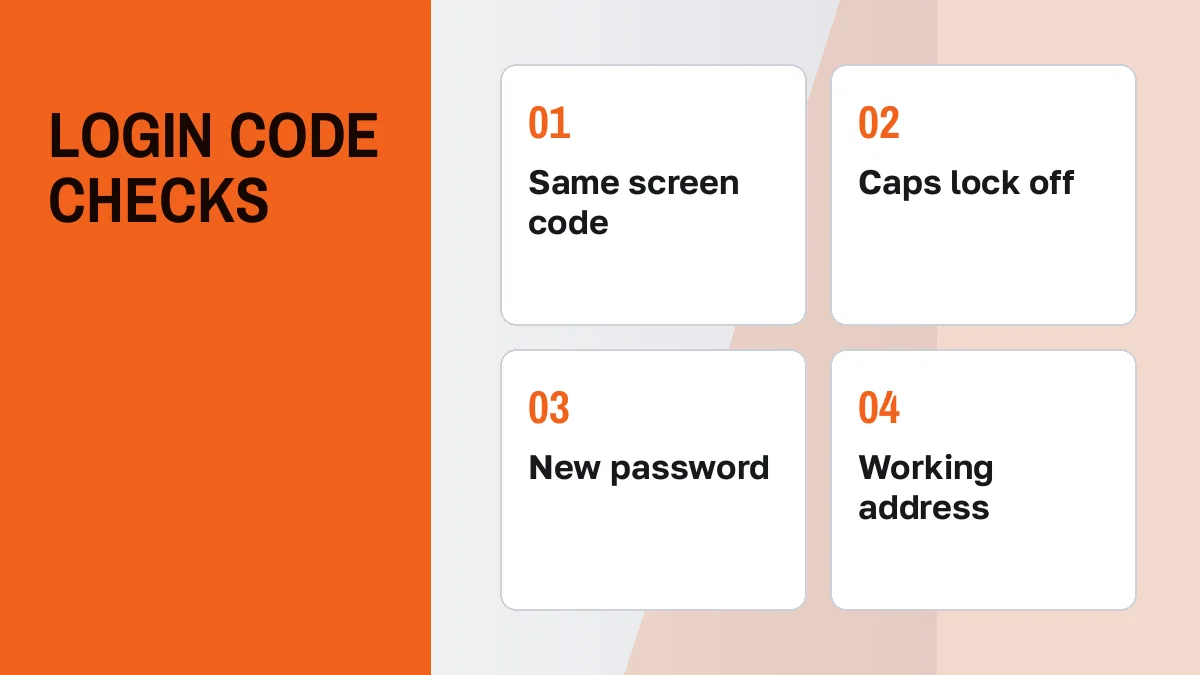
CodeCapsAddressThird refusal in a row? Stop pressing Login and go down this list on the Sky Exchange form in order, top to bottom. It is short.
- Box 3 from the view you are on? Clear it, refresh, type the digits printed now.
- Caps lock? KABIR_07 and kabir_07 are different strings to the form, and the same goes for every character of the password.
- Which password is live? If day one's change went through, the temporary string from the chat is dead; if you are unsure, ask rather than alternate.
- Box 1 from the chat? Scroll up to the desk's first reply and compare letter by letter.
- Does the form appear at all? A blank page or a browser error is an address problem; your Sky Exchange details are fine, and the desk can send today's working address.
Passed all five and still shut out? Then the account itself needs a look, and only the desk that issued the Sky Exchange ID can see that side. Send the username plus the exact words on the screen.
One more cause, and it surprises people: the exchange rules allow bets to be voided or an account suspended when the IP keeps jumping between cities, which an IP-masking app does constantly, so if sign-in broke on the same day you turned one on, start your Sky Exchange troubleshooting there.
Sky Exchange Login Searches Explained: Verified Notes for India
Typing sky exchange log in or skyexch login: one official screen
Sky exchange log in, sky exchange login, skyexch login: three ways of typing a search, one form at the end of each. The brand is spelt Sky Exchange, Sky Exch, SkyExch or skyexchange depending on who is typing, and none of that changes the boxes in front of you, which stay Username, Password and Validation with four digits printed beside the last one.
Sky Exchange login id India: the username from the desk, verified
Our made-up kabir_07 shows what a sky exchange login id looks like in practice: lower case, a _ mark, two digits, spelled exactly as one desk message spelled it. Anyone searching sky exchange login id india hoping for a code tied to their phone will be disappointed, because the phone number only helped set the account up and never belongs in Box 1.
www sky exchange com login typed in the address bar: latest note
Typing www sky exchange com login, or sky exchange com login without the www, assumes one permanent dot com. Indian ISPs keep blocking betting domains, so Sky Exchange lives on rotating mirrors, and kabir_07 with its balance would open on any of them that works.
www Sky Exchange Com Login and Mirror Addresses: Latest Advice
Plenty of people type www sky exchange com login into the address bar, see a browser error, and conclude their password is gone. Wrong conclusion. When the form never shows up, your Sky Exchange username has not even been asked for yet.
The address endings you will run into are .vip, .biz, .xyz, .art, .plus, .blue, .win and .ltd, and each one is just another doorway to the same Sky Exchange accounts, which exist because Indian ISPs block betting domains and a blocked doorway gets replaced by a new one. On 25 Oct 2026 our server reached skyexch.plus on its bare address and got nothing back from skyexch.com or skyexchange.com. A different day could look different.
The useful part for signing in: kabir_07 does not belong to one address. Whichever mirror opens, the same Box 1, the same password and the same balance work there.
A caution for addresses picked from search results. Having Sky in the name does not make a site a Sky Exchange mirror, so if Box 1 rejects a username that worked fine last week and the page around the form looks unfamiliar, you may be on another brand altogether. The Sky Exchange home page keeps the address picture in one spot.
After a Secure Sky Exchange Login: Read the Refusal by Symptom
Different mistakes on the Sky Exchange form look alike from the outside. This ledger works backwards from what you saw on screen to the box that probably caused it, so you fix one thing instead of retyping all three.
- Refused right after a trip to WhatsApp
- Almost always Box 3. The tab redrew while you were away, so the Sky Exchange digits on screen are no longer the ones you remember.
- Refused on the first try of the day, fine yesterday
- Check whether something changed overnight: a new phone, a new browser, an IP-masking app switched on.
- Refused only on the laptop
- Look at the header strip again; the code there may have changed while you scrolled the lobby.
- Practice money on screen, no code typed
- That session came from the Demo button, so your own username never went through. Back to the form, top button this time.
- Stuck between the old and new password
- Stop alternating between them. One message to the desk tells you which string the Sky Exchange account holds right now, or swaps both for a fresh temporary one.
- No form at all
- Address side, not account side. Ask for the working mirror.
When the right box is fixed and the lobby finally opens, the usual next stops are reading back and lay on our Sky Exchange betting page and cashing out through the Sky Exchange withdrawal steps, where the bank account linked to this same username is the one that gets paid. Same Box 1 everywhere, in other words.
Sky Exchange Login Rules That Protect the ID: Genuine Limits
Client formOne usernameEverything on this page concerns the client form, the one kabir_07 would use. Above clients, Sky Exchange rules list Super, Master and Sub agents, and those accounts sign in at a separate admin address. We do not give that address out. If anyone tells you to reach your own player balance through an agent screen, pause and ask why; our Sky Exchange agent explainer lays out who sits where.
Small detail, big confusion: a casino coin inside Sky Exchange is worth 100 INR of the main balance, so a casino figure that looks a hundred times too small right after sign-in is a unit change, not missing money.
Our Sky Exchange site terms cover what we are: a publisher of information with a link to the ID desk. No exchange runs here, no bet is accepted, no balance sits with us, and the sign-in cards drawn on our pages have readonly boxes, so typing kabir_07 into one achieves nothing. Online betting is banned in some Indian states and treated differently across the others; check yours before you open any Sky Exchange mirror.
Sky Exchange Login Questions: Quick, Verified Answers
What order do I fill the Sky Exchange login form in?
Username first, password second, and the four printed digits last, all in one sitting, then a single tap on Login. Doing Box 3 last means the code belongs to the exact page you submit. A brand new Sky Exchange account then shows a password-change form before any lobby appears.
Why does the Sky Exchange Validation number keep changing?
Each opening of the Sky Exchange form prints its own four digits, so a refresh, a second tab or a phone that redraws a background tab all bring a different number. Digits remembered from an earlier view stop working. Clear the box, refresh once, and type what is printed at that moment.
Is a Sky Exchange login ID something other than my username?
No. The form has no box called ID, only Username, so the login ID people mention is the username in the desk reply you received on WhatsApp. Your mobile number is not your Sky Exchange login ID. Copy the username from that reply, keeping every digit and symbol exactly as sent.
When does Resend Verification email help on Sky Exchange?
Only when an email inbox was linked to the Sky Exchange account at setup, because the link simply mails that confirmation again. Many IDs opened by a desk over WhatsApp carry just a username and mobile number, with no inbox on record, so a message to the desk gets you further.
Does the Sky Exchange header login on a laptop use different details?
No, the details are identical. A laptop browser shows the three Sky Exchange boxes in a strip across the top instead of a full form, with Login and Demo beside them. Your username and password stay the same; only the layout moves, and the four digits still change whenever the page redraws.
What should I check when Sky Exchange refuses my login again and again?
Start with the code: refresh and type the digits shown now. Then check caps lock, which password is currently live after day one, and the username against the desk reply. A blank page instead of a form points to a blocked address, and a phishing lookalike is a risk then, so ask the desk.
- sky exchange login kaise kare
- skyexch login password
- sky exchange login id india
- sky exch log in
- skyexchange com login
- sky exchange validation code
- sky exchange demo login
- sky exchange password reset
- skyexch login new link